
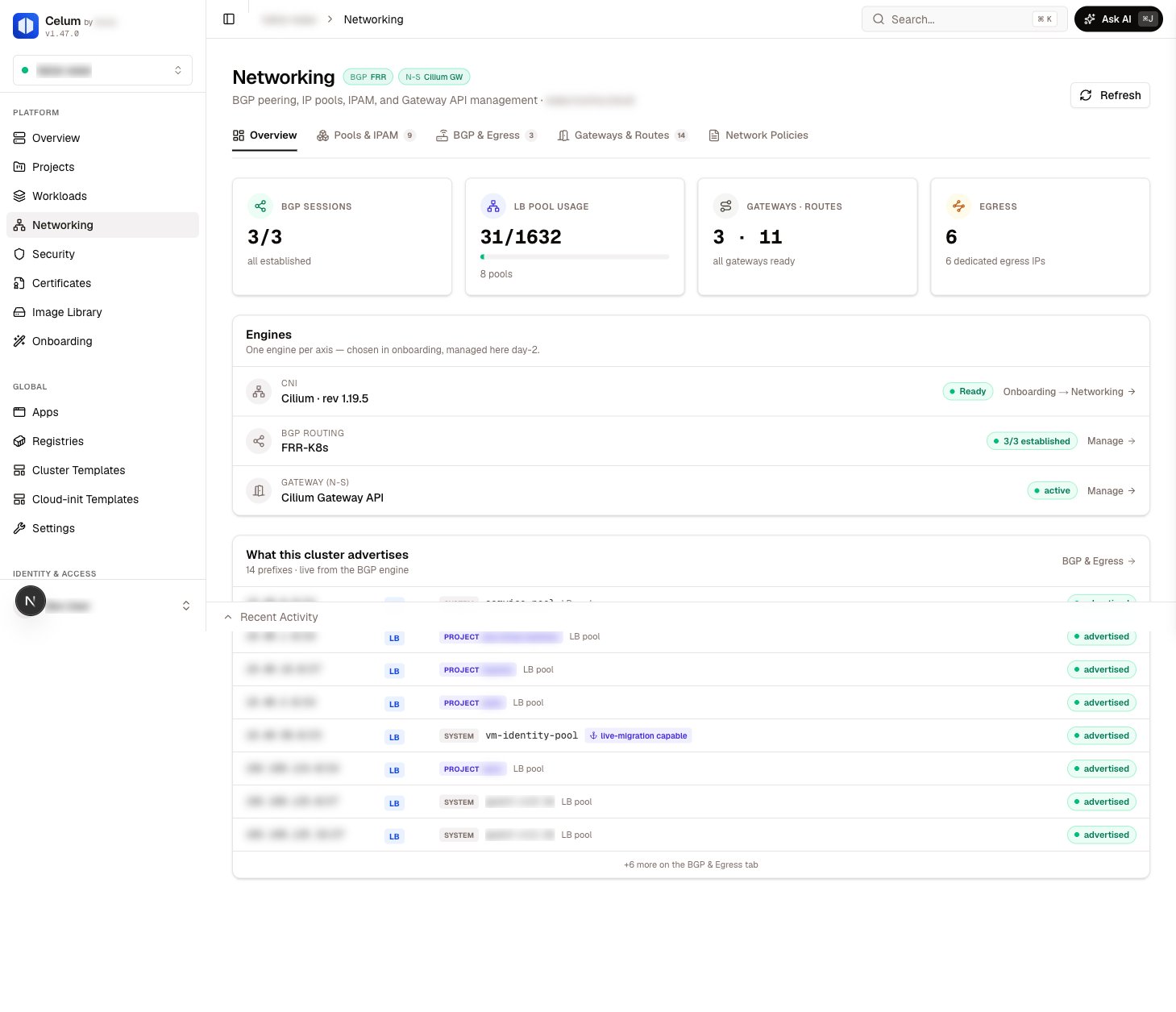
The page header carries two engine pills: one for the BGP engine and one for the north-south engine. They tell you at a glance which implementation this supervisor runs — the BGP and gateway views adapt to whichever engine is active, so the same tabs work on every supervisor.
The north-south pill also carries a conflict alert when both gateway stacks’ CRDs are present on the cluster at once. Resolve that before creating gateways — two controllers competing for the same objects is undefined behavior. On a healthy supervisor exactly one engine reports present: Envoy Gateway with Cilium’s Gateway API off, or the reverse.
Networking is per-supervisor. Each supervisor has its own engines, pools, and gateways; nothing on this page spans supervisors.
The four tabs
Pools & IPAM
Every IP pool in one table — LoadBalancer, VM identity, and Pod IP — with utilization, conflicts, and allocations.
BGP & Egress
Per-node BGP sessions, the advertise table with drift detection, and everything egress: candidate nodes, HA, policies.
Gateways & Routes
Shared Gateways, listeners and TLS, datapath modes, routes, and publishing services or tenant APIs.
VM identity pools
Stable addresses that follow a VM through live migration — managed as a pool kind of their own.
The Overview tab
The first tab is a live engine dashboard — everything on it is read from the supervisor, nothing is static:
The advertise snapshot is the fastest health check on the page: if a prefix you expect to be advertised shows as missing — or one you turned off is still being advertised — the BGP & Egress tab has the full table and the diagnostics.
Networking and onboarding
Onboarding is where engines are chosen and installed — Cilium as the CNI, a BGP engine, a north-south engine. The Networking page never installs an engine; it manages the objects those engines act on. If an engine is absent, its card on the Overview tab says so and links back to the installation step.Networking and projects
The other half of the story is projects: per-tenant networking — a LoadBalancer slice, egress identity, traffic isolation, advertise selections — is configured on the project, not here. The Networking page shows and operates the objects those intents materialize as: project pools in Pools & IPAM, read-only egress policies in BGP & Egress, project-sourced advertise rows. Project networking maps the two sides onto each other.Permissions
Networking reads and writes map to two action families:Related
Supervisors & clusters
What a supervisor is and how it is addressed.
Project networking
Per-tenant intent — slices, egress, isolation — and the objects it materializes as.
VM networking
Publishing individual VMs — the consumer side of pools and gateways.
Permissions model
How actions and KRNs gate every call on this page.