
What this changes on your cluster
One of three things, depending on where the disk comes from:
Then, in all three cases, the volume is hot-plugged onto the VM through KubeVirt’s
addvolume subresource. The same call works whether the VM is running or stopped — running means a live hot-plug, stopped means it persists into the VM spec — so there is one path and no state to check first.
Before you start
- A running VM, if you want the disk to appear without a restart.
- A snapshot class and the snapshot controller, if the source is a snapshot. Both come from the Storage step of onboarding.
- The guest agent, if you want Celum to mount the disk for you. In-guest mounting is Linux only.
- Permission
vm:AttachVolume, scopedsupervisor:<name>:vm:<vm>.
The shape of it
Choose the source → attach → mount → verify the guest sees it. The mount is optional and can fail on its own, which is the part worth watching.Step 1 — Choose where the disk comes from
- Dashboard
- API
- MCP
The VM detail page → Disks → Attach volume. The dialog offers all three sources and browses existing claims and snapshots for you.
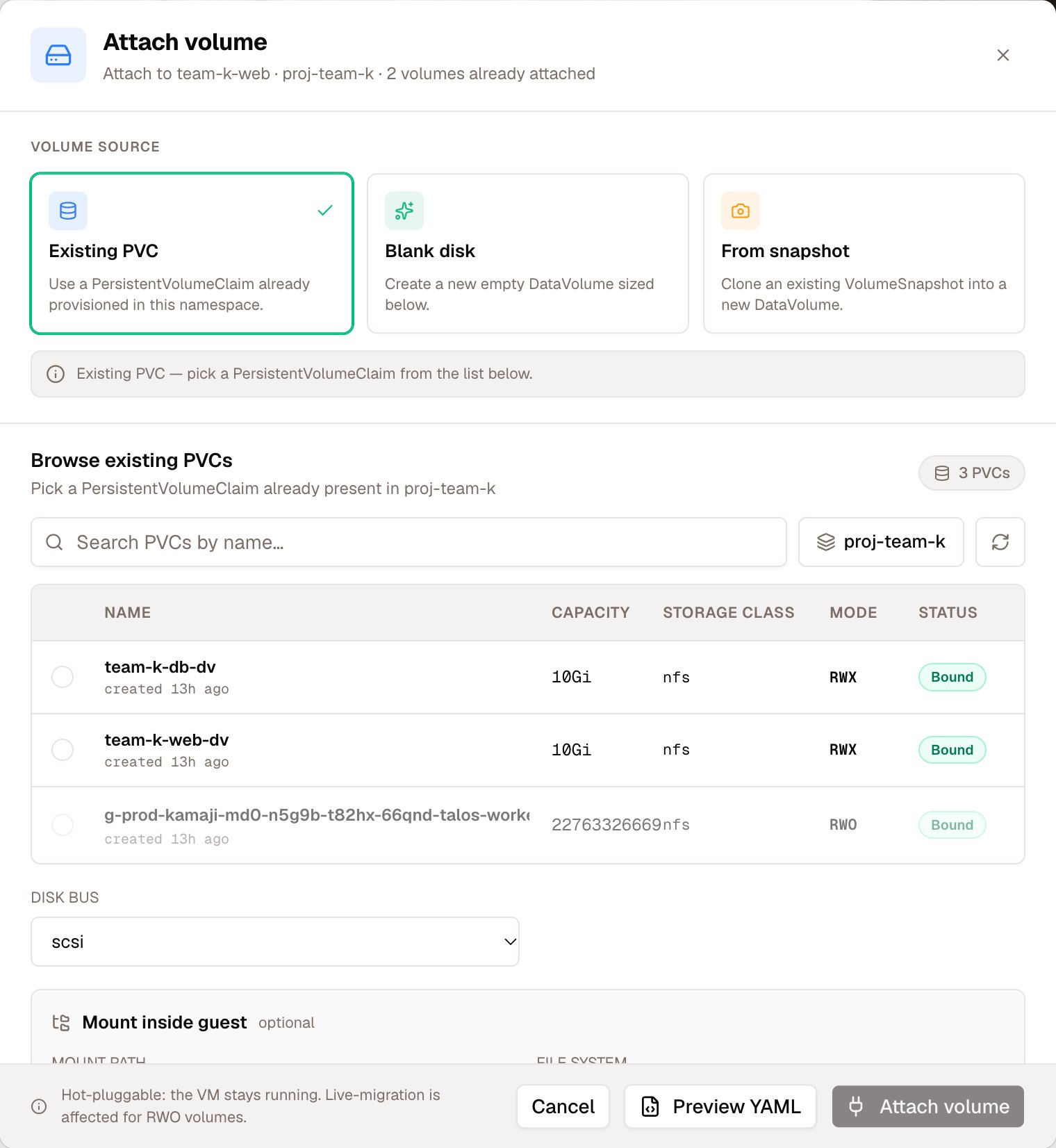
Attach volume: the three sources, the claims already in the project, the bus, and the optional mount
pvcneedsclaimName. The disk takes that name unless you give it one.blankneedsnameandsize.volumeModepicks Filesystem or Block;accessModedefaults to ReadWriteOnce.snapshotneedsname,sizeandsnapshotName.
bus defaults to scsi, which is what hot-plug requires — leave it alone unless you know why you are changing it.
Result: 200 with the volume and the backing PVC named.
Step 2 — Let it mount, or mount it yourself
PassmountPath and Celum formats the disk (fsType, default ext4) and mounts it inside the guest. Add persist: true and it also writes a UUID entry to /etc/fstab, so the mount survives a reboot — without it, the mount is for this boot only.
The response carries
mounted and mountMessage separately from the attach status. The attach can succeed while the mount does not — a guest agent that is down, or a Windows guest, which the in-guest path does not support at all. Read both fields rather than the status alone.Verify
The disk appears on the VM’s Disks tab, with its backing claim named. Inside the guest,lsblk shows the new device by its serial; if you asked for a mount, it is at mountPath and, with persist, in /etc/fstab.
Removing it — three verbs, and only one destroys data
This is the part to read before pressing anything. The three operations look adjacent in the UI and are not equivalent.
Detach is the exact inverse of attach. Delete is not — it is detach plus destruction, and there is no undo.
Over MCP,
detach_vm_disk exists and there is no tool that deletes the volume — consistent with the catalog’s standing policy that no tool destroys data. Deleting requires a person.
What commonly goes wrong
Next
VM storage & disks
The full disk surface on a VM, including block versus filesystem volumes.
PVCs & snapshots
Where snapshots come from, and the checklist for a claim stuck Pending.
Classes & profiles
Which StorageClass to give a disk, and what its clone strategy costs.
VM lifecycle
Snapshots, restores and live migration for the VM as a whole.