
talos, with a domain attached.
What this changes on your cluster
A great deal, and this is the boundary the previous page promised. Registration wrote a row in Celum’s database and touched nothing on your cluster. Onboarding installs Flux, a per-node agent, a CNI, a storage layer, cert-manager, and whatever optional components you enable — as HelmReleases that Flux then keeps reconciled. Cilium in particular replaces the cluster’s networking. Run it on a supervisor you are prepared to have changed.Before you start
Four things gate onboarding from outside the wizard. Three of them fail silently — nothing on screen names them — which is the reason this section exists.- The supervisor’s label must be exactly
talos. Anything else and the page renders one sentence and no wizard: “Platform Onboarding is only available on Talos supervisors.” Fixable in place, from Settings → Kubeconfigs. - Omni must be configured, if you intend to install any backend that consumes raw disks — Ceph, LINSTOR, or anything else with a disk picker. That inventory is read from Omni, and when Omni is disabled or unreachable the endpoint returns 200 with an empty machine list and a
sourceofomni-disabled/omni-error. On screen that is an empty disk table — indistinguishable from a cluster with no free disks — and such a backend cannot be installed through the UI at all. Thesourcefield is the only thing that tells the two apart. - A domain attached to the supervisor, if you want certificates. Certificates derive their names from it; without one they sit Pending with nothing explaining why.
DATABASE_URLon the backend. Without it IAM allows everything regardless ofIAM_ENABLED, so the permissions below are not actually enforced.
supervisor:Onboard and supervisor:Bootstrap, cilium:Apply and project:Configure for the Networking declarations, cilium:Install, storage:InstallDriver, certs:Install, and one for each optional component. A step whose status read is refused behaves differently from one whose install is refused, and the wizard distinguishes them: see What commonly goes wrong.
The shape of it
Ten steps. Four are required and six are optional, and the difference is mechanical rather than advisory: the Next button is withheld until a required step reportsdone, while an optional one can always be stepped past.
Two more behaviours worth knowing before you start clicking:
- While a step is reconciling, all navigation freezes — the stepper pills and Next alike — so you cannot wander off mid-apply. This applies to optional steps too.
- Every step is deep-linkable as
?step=<key>, which is how the supervisor page’s Configure links land you in the right place. Retired keys still resolve:?step=cilium,?step=interface-roles,?step=bgp-engineand?step=network-featuresall redirect into Networking, and?step=cluster-agentinto Source & Bootstrap. The URL is then rewritten to the canonical key, so an old bookmark works and stops being a second identity.
Every option each step asks for, with its default and the API route and MCP tool behind it, is on Onboarding options.
The order is not cosmetic. Secret Store sits at position 3 — before Storage, which it does not need — because a credential can only migrate into Vault if ESO is already installed when its step runs. Everything below it is eligible; everything above it is permanently excluded. The DNS-01 tokens the Certificates step uses are the first beneficiaries.
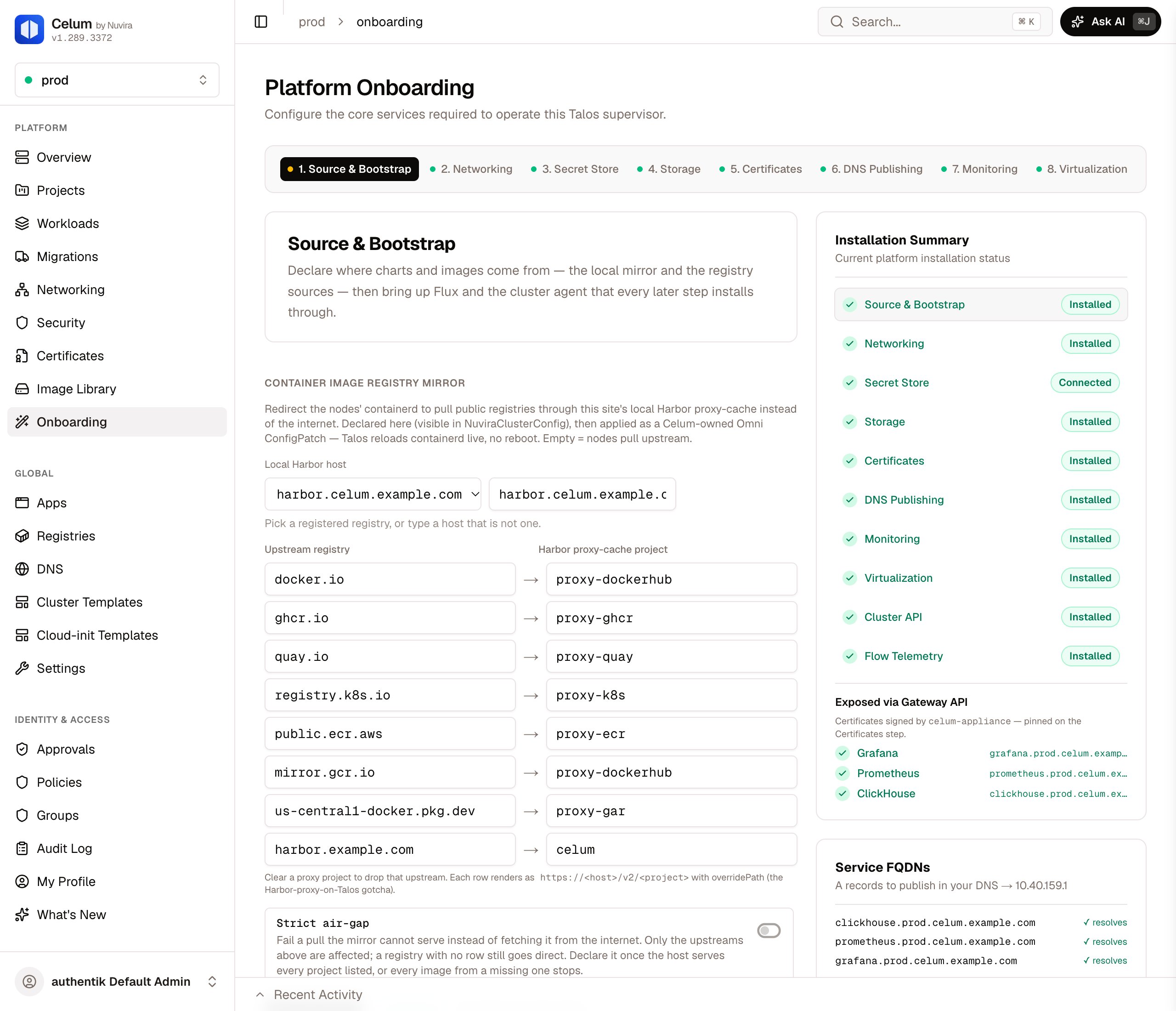
The wizard: the step pills across the top, the open step, and the Installation Summary on the right
The five gates
A locked step says why, in one sentence, and the sentence names the earliest missing prerequisite rather than the nearest.The Storage gate used to ask three hardcoded questions — is Rook’s cluster ready, is the NFS release ready, is the Hitachi HSPC driver ready. The catalogue then grew, and most of its backends were invisible to that check, so a supervisor running LINSTOR had working storage, a green storage panel, a Storage step stuck below
done, and Monitoring locked behind it with nothing on any screen saying why.It now asks the question from the other end: which StorageClasses does the cluster actually have, and which catalogue backend owns each one’s provisioner. One list, then a probe of only what is really there — so the cost does not grow with the catalogue, and a backend nobody has documented yet still counts.The four you cannot skip
1. Source & Bootstrap
Two halves with one dependency between them. First you declare where charts and images come from — a registry mirror and per-role sources — and then Flux and the cluster agent are installed through that declaration. Leaving the declaration empty is valid: the supervisor then uses its site’s default registry, then the estate-wide default, then each chart’s public source. The cluster agent is the exception. Its chart has no public source, so register the registry that holds Celum’s charts first. The bootstrap half is what makes this step required. Every step after it installs through helm-controller, so Flux is the gate they all wait on. Result: Flux and the cluster agent both report Ready, and the install half of the Networking step unlocks. Its three declarations work before Flux.2. Networking
One step, three sections: what each interface is for, how the block is addressed and routed, then Cilium itself — plus the BGP engine when you peer, and the North-South gateway. You do not choose the North-South gateway. On a new supervisor, the step’s single Apply installs Envoy Gateway once Cilium is ready. Envoy runs as its own release, outside the CNI, so a Gateway API change cannot take the datapath down. It is also the engine a project’s dedicated gateway needs. A supervisor whose Cilium already runs the built-in Gateway API keeps it. Re-applying Networking never moves it to the other engine, and installs nothing for the gateway while Cilium’s release cannot be read. Over the API, Cilium’s built-in engine is still available: sendgatewayApi: true with the Cilium install. POST /api/supervisors/{name}/networking/cilium-feature with the feature gatewayApi turns it on or off on an installed supervisor. Turning it on is refused with 409 while Envoy Gateway owns the Gateway API CRDs. Turning it off takes down the shared Gateway it serves, so move that Gateway’s routes first.
Before release 1.232 the step offered a choice between Cilium’s built-in engine and Envoy Gateway, and proposed Cilium’s. Cilium’s Ingress controller was also on by default then. It is now off for new supervisors, and supervisors that run it keep it.
devices set from the interfaces you tag, and the storage tag is what Rook, LINSTOR and the NFS route automation use to find the storage subnet later. Install Networking stays disabled until all three declarations are saved: the interface roles, an address plan with a block and its Project LB, VM identity and Egress bands, and a routing plan.
Result: Cilium reaches Ready, and steps 3 through 10 unlock.
4. Storage
One step over a catalogue in three families — software-defined (LINSTOR, Rook-Ceph and others built from the nodes’ own disks or a shared LUN), arrays (a vendor CSI driver carving volumes externally), and NFS. Picking a family narrows the list; picking a backend renders its own parameters, including a disk picker wherever it consumes raw devices. The CSI snapshot controller arrives with the first Rook-Ceph or catalogue backend. The NFS server card does not install it. Anything that consumes raw disks depends on the Omni-backed inventory — see Omni, above. That is not only the Ceph path: the same disk table feeds every backend that picks devices. Result: a StorageClass that binds. Test it before moving on. The NFS server card has Run smoke test. For any other backend, use the test-PVC diagnostic ortest_storage_class. The same class then satisfies the gate that Monitoring waits on.
5. Certificates
cert-manager plus one ClusterIssuer, of the type you pick:- Appliance CA: certificates are signed by the appliance’s OpenBao under the appliance CA, so every client that trusts the appliance trusts this cluster’s routes too. It signs in through the auth mount the Secret Store step creates, so that step has to be done first.
- Let’s Encrypt: ACME, answering DNS-01 challenges through your DNS provider’s API.
- Self-signed: a root CA generated on the cluster.
- CA (import): a CA keypair of your own.
- AD CS: Microsoft Active Directory Certificate Services, through its Web Enrollment.
The six you can
Three surfaces, and where two of them stop
Onboarding is the least evenly covered area in the product, and pretending otherwise is how someone ends up scripting against a tool that does not exist. Measured against the tool table:
So an assistant can carry a supervisor a long way, and cannot finish it: Flux, Networking and Certificates are all required and none of them can be installed over MCP, which means no supervisor can be onboarded end to end without the dashboard or the API.
Each step’s Apply calls these endpoints:
Verify
The wizard’s own Installation Summary is the running answer, but it reads the same endpoints you can read yourself. Outside the wizard, the supervisor overview is where onboarding’s result lives: Summary lists the supervisor’s Helm releases, and the Storage, Monitoring and Cluster API tabs show each component’s state. Those tabs appear on everytalos supervisor whose components you may read, installed or not, so a tab’s contents tell you whether a step has run, not its presence.
Once every required step is applied, the onboarding page itself becomes a summary of the configuration as it stands, and makes no changes. Change configuration reopens the wizard.
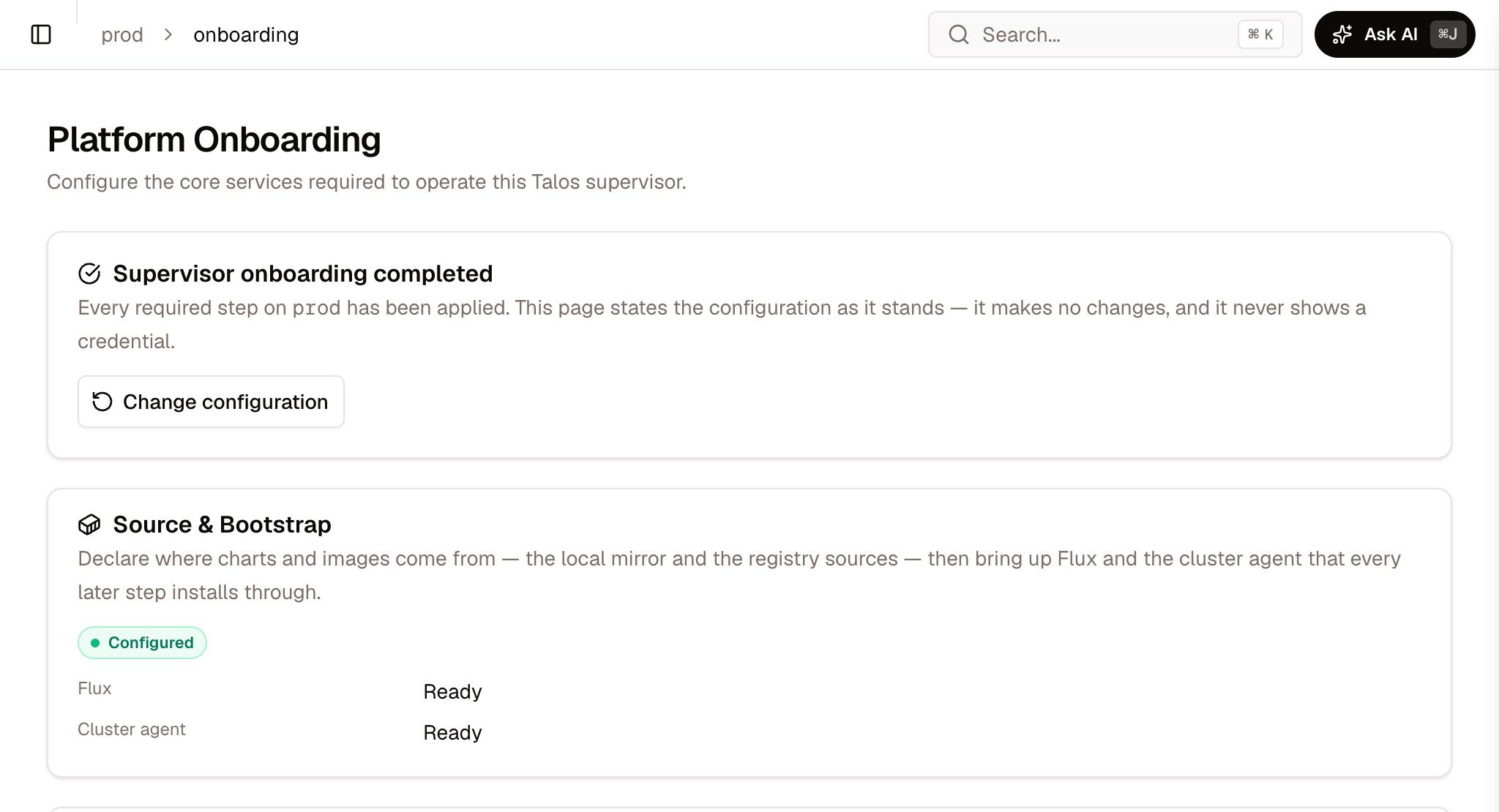
An onboarded supervisor: the page states its configuration
There is no undo
Registration was undone by deleting a row. This is not. Three components can genuinely be removed through the product: Monitoring (DELETE .../monitoring/uninstall), Flow Telemetry (POST .../security/uninstall), and the BGP engine on its own (POST .../frr-k8s/uninstall). DNS Publishing has a purge, offered when you delete the supervisor in Settings → Kubeconfigs. It removes the PowerDNS records it created, or the whole zone. It is the inverse of publishing rather than of installing, and it does nothing on a supervisor that did not publish through PowerDNS.
Everything else — Cilium, cert-manager, storage drivers, KubeVirt, the Cluster API operator, ESO, Flux itself — is removed by deleting its HelmRelease by hand, in the order that does not strand the rest. The Cluster API step does remove the providers and the ClusterClass of a tenant cluster kind you stop offering. It keeps the KubeVirt, vSphere and vCluster providers while a tenant cluster still references them. Plan onboarding on the assumption that it is one-way.
What commonly goes wrong
Next
Projects
Carve the supervisor you just onboarded into tenant slices — a namespace plus its own address space.
Create a cluster
Spawn a tenant cluster. Needs the Cluster API step.
Storage overview
Choosing a backend from the catalogue, and the triage order for a Pending claim.
Security overview
What Flow Telemetry feeds, and how to tell an empty view from a quiet network.