
What this changes on your cluster
Nothing. IAM lives entirely in Celum’s database — policies, groups, memberships. No cluster object is created, and revoking access is a database change, not a cluster change.Before you start
DATABASE_URLon the backend. IAM is stored there, and without it there is nothing to store policies in.IAM_ENABLED=true. This is the one that catches people out: with it unset the middleware evaluates and logs but allows everything. A carefully scoped policy on a deployment with IAM disabled grants full access, silently.- Permissions
iam:CreatePolicy,iam:CreateGroup,iam:AttachGroupPolicy,iam:AddGroupMember— all scopediam:*.
The shape of it
Pick or write a policy → put it on a group → map the group to a claim → verify as the user. The last step is the only one that tells you the truth.Step 1 — Start from a managed policy if one fits
Six ship with the product and cover most of what people need:
Note the split between the third and fourth: reading the platform and downloading credentials for it are deliberately different grants, so “read-only access” does not quietly include handing out a working kubeconfig.
Managed policies are immutable. Update and delete both refuse to touch them. Copy one into a policy of your own if you need a variant — editing in place is not offered, on purpose.
- Dashboard
- API
- MCP
IAM → Policies.
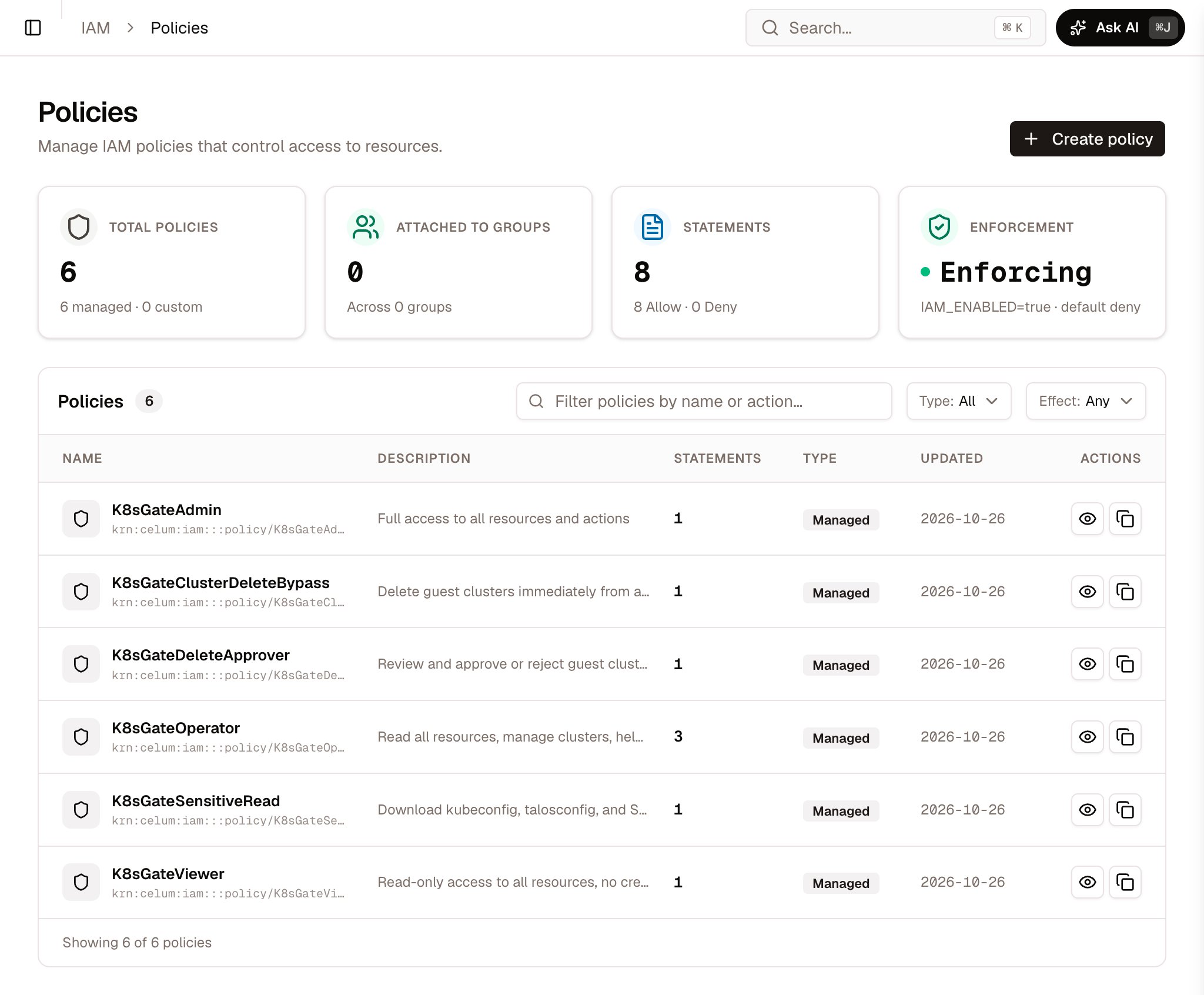
IAM → Policies on a new installation: the six managed policies
Step 2 — Write the resource, and count the segments
A statement pairs an action with one or more KRNs. The grammar has one rule that causes nearly every “my policy does nothing” report: Useful shapes:Deny wins immediately → otherwise an Allow grants → otherwise denied. A Deny anywhere in any attached policy ends the question.
Step 3 — Create the group and map it to a claim
A group is how people reach a policy. It carries either an OIDC claim value or an explicit member list.- Dashboard
- API
IAM → Groups → attach policies, add members.
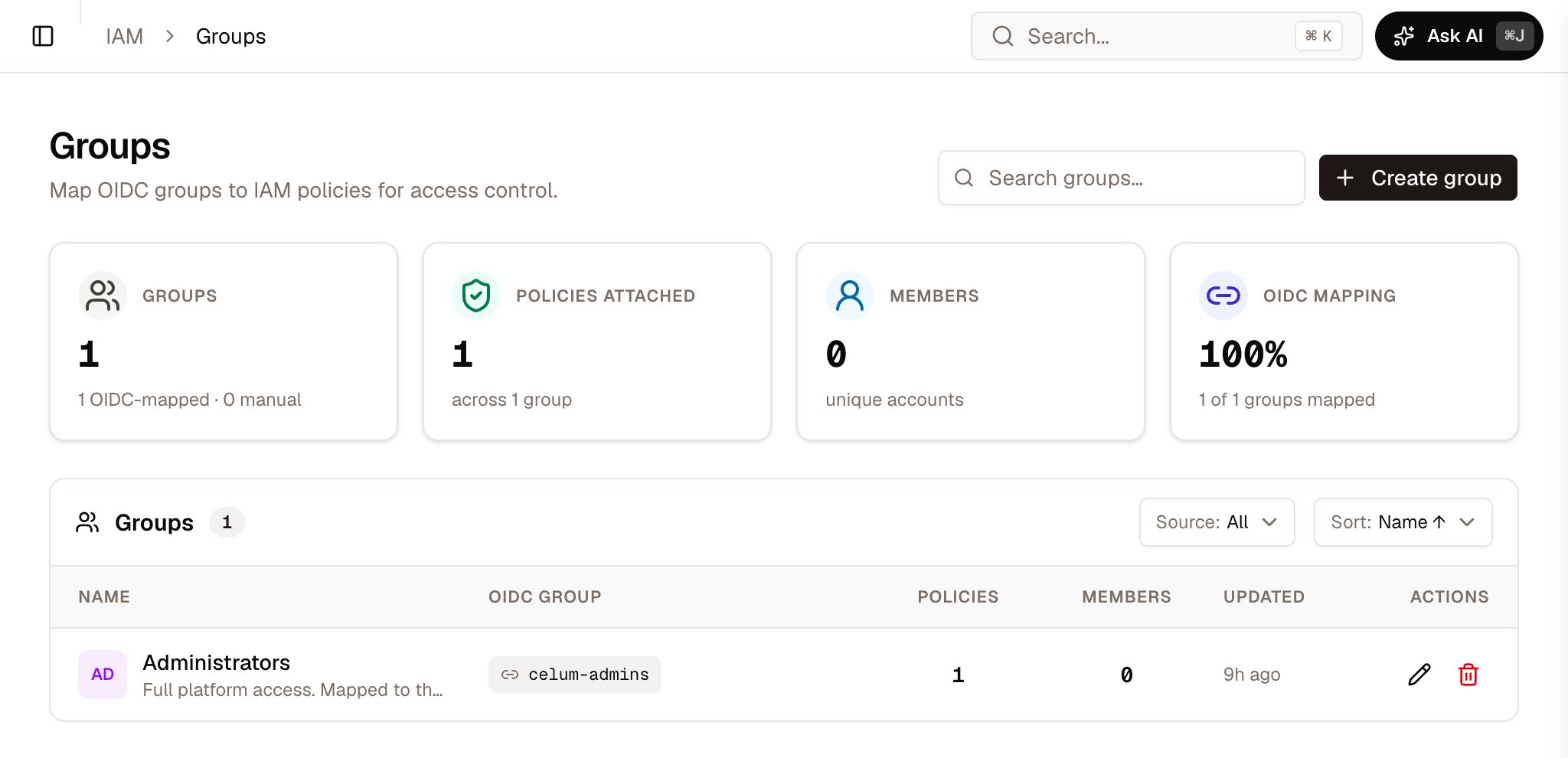
IAM → Groups: each group shows the claim value it matches
Verify — as the user, not as yourself
This is the step that matters, and the product provides it because reading your own policy document proves nothing about how it evaluates.- Dashboard
- API
IAM → My Profile shows the signed-in user their own effective permissions and groups.
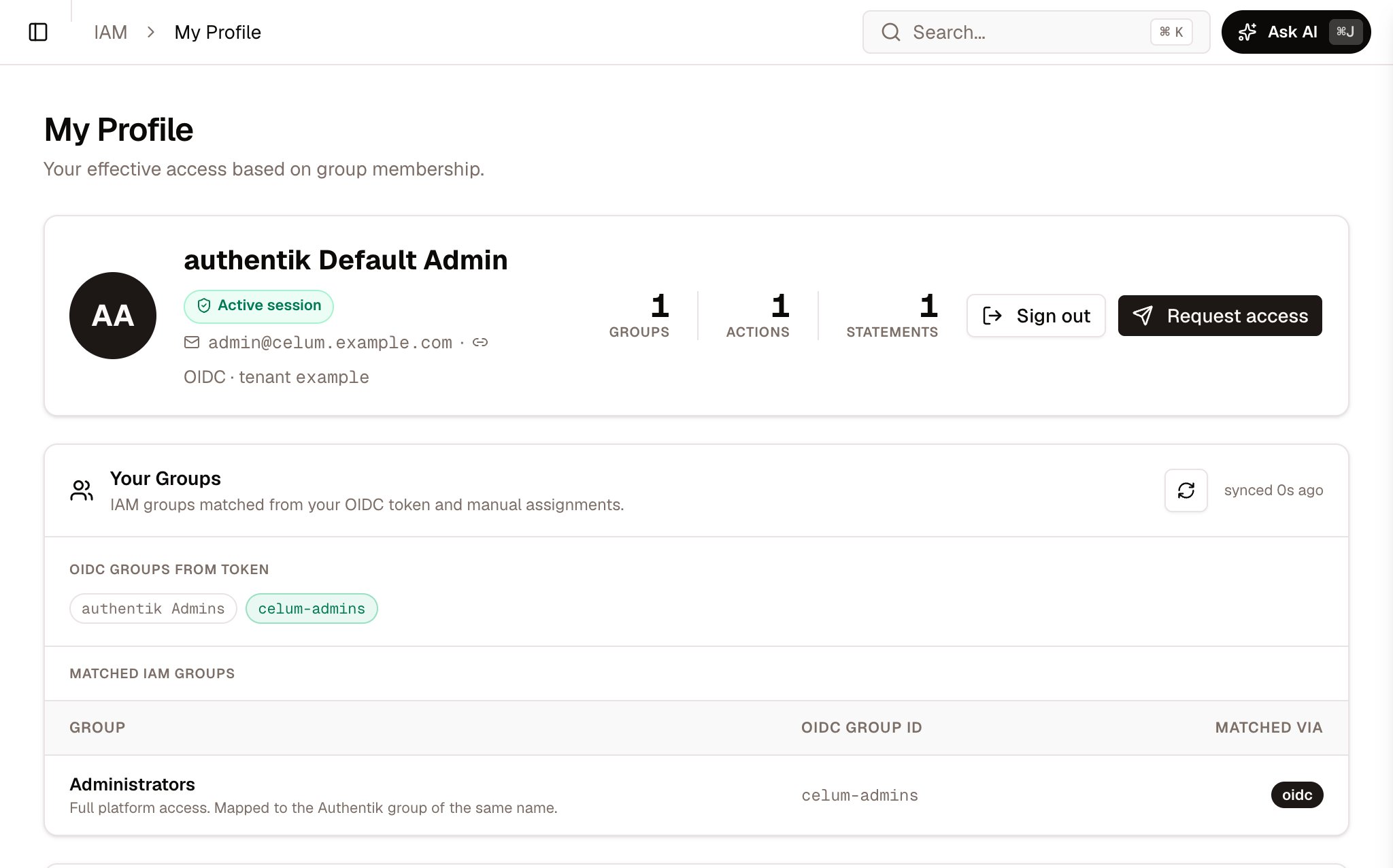
IAM → My Profile: the claim values in the token, and the IAM groups they matched
If you need to undo it
Remove the member, detach the policy, or delete the group —iam:RemoveGroupMember, iam:DetachGroupPolicy, iam:DeleteGroup. Access ends at the next evaluation; nothing on any cluster changes.
Deleting a policy that groups still reference removes the grant from all of them at once. Detaching from one group is the narrower action, and usually the one you meant.
What commonly goes wrong
Next
Permissions model
How a request becomes an action and a KRN, and why an unmapped route is denied.
Permissions reference
Every action Celum defines, with the KRN each is checked against.
Authentication & IAM
The sign-in half — OIDC, sessions, and claim mapping.
Projects
The boundary most delegations are scoped to.